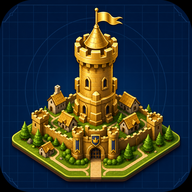
Ultimate Kingdom Architect Guide: Build Your Dream Medieval City
Master the ultimate Kingdom Architect guide! Learn how to build, earn money, maximize offline growth, and achieve a 3-star rating in this Roblox hit.
Have you ever wanted to rule your very own medieval empire from the ground up? If so, you are going to need a comprehensive Kingdom Architect guide to turn that small starter village into a sprawling fantasy castle city. In this Kingdom Architect guide, we will walk you through the core mechanics of this wildly popular Roblox simulation and tycoon experience.
Balancing your economy, decorating your kingdom, and maximizing offline payouts are crucial to your success as a ruler. Whether you are just placing your first dirt path or saving up for massive castle walls, every building helps your kingdom progress. By following the strategies outlined below, you will learn how to optimize your layouts, collect massive payouts, and unlock every structure the game has to offer. Let’s dive into the ultimate blueprint for your new empire!
Getting Started: Laying the Foundations of Your Empire
When you first spawn into the game, your land will look quite bare. Every great empire starts as a humble village, and your primary goal in the early game is to establish a functional baseline. Any good Kingdom Architect guide will tell you that rushing to build expensive castles before setting up a steady income stream is a recipe for disaster.
Start by placing basic houses and markets. Houses provide the population foundation, while markets begin generating the crucial income you need to expand. Make sure to connect your buildings with roads; not only does this make your village look organized, but it also helps you plan future expansions.
According to community reports, players who focus heavily on basic infrastructure in their first hour of gameplay scale their economies much faster than those who immediately save for high-tier decorations.
Mastering the Economy and Offline Growth
Money makes the kingdom go round. As a tycoon-style simulation, your main gameplay loop involves collecting payouts from your buildings, unlocking new structures, and buying more land. Every single building you place contributes to your overall kingdom progression and increases your payout rate.
One of the most beloved features of this game is the offline growth mechanic. Your kingdom continues to build and earn money even while you are logged off. However, to truly maximize this system, you need to ensure your active income rate is as high as possible before you disconnect.
Throughout this Kingdom Architect guide, we emphasize the importance of the "reinvestment phase." Whenever you log back in, immediately collect your offline rewards and reinvest all of that money into new income-generating structures like advanced markets and upgraded houses.
Designing Your Medieval Fantasy City
While earning money is vital, the true joy of the game lies in its robust customization. You are not just building a spreadsheet; you are designing the ultimate fantasy empire. The game offers an impressive suite of design tools, allowing you to place terrain, water, trees, and intricate decorations.
You can customize your medieval village to your exact liking. Want a sprawling moat around your castle? Use the water and terrain tools. Prefer a dense, bustling market district? Pack your structures closely together and weave cobblestone paths between them.
The game also features a dynamic day and night cycle. Exploring your city under the moonlight offers a completely different atmosphere. Based on player experience, strategically placing light sources like torches and lanterns along your paths makes your kingdom look incredibly vibrant during the night cycle.
Unlocking Upgrades and Expanding Your Land
Progression in this simulation experience is highly rewarding. As you collect money from your buildings, you will naturally unlock new structures and upgrades. These unlocks are essential for transitioning your small village into a huge castle kingdom.
To keep your progression smooth, always keep an eye on your next available unlock. Sometimes it is worth saving your payouts for a massive new structure rather than buying dozens of smaller, low-tier buildings. Upgraded buildings not only look more impressive but also offer significantly higher returns on investment.
Eventually, you will run out of space. Buying more land is a major milestone in your playthrough. Expanding your borders allows you to zone different areas—perhaps a dedicated farming village on the outskirts and a dense, towering castle in the center. If you want to see how this game compares to other massive builders on the official Roblox platform, you will find its seamless blend of tycoon mechanics and free-form building quite unique.
As you follow this Kingdom Architect guide, remember that patience is key. The transition from village to empire takes time, but the visual and financial rewards are well worth the effort.
How to Achieve a 3-Star Kingdom Rating
The ultimate bragging right in the game is your overall star rating. The game features a built-in achievement system that awards badges based on your kingdom's development. You can earn a 1-star, 2-star, and eventually a 3-star rating badge.
While the exact mathematical thresholds are hidden, community reports suggest that your star rating is tied to a combination of your total land size, the variety of buildings placed, and your overall economic output. Earning the 3-star badge means you have truly mastered the mechanics detailed in this Kingdom Architect guide.
To push from 2 stars to 3 stars, focus heavily on diversity. Do not just spam one type of building to increase your income. The game rewards players who utilize the full catalog of houses, towers, walls, gardens, and terrain features.
Frequently Asked Questions (FAQ)
What is the best way to use this Kingdom Architect guide? The best way to use this guide is to reference it as you hit different milestones in your playthrough. Use the early-game tips to set up your initial economy, and return to the design and star-rating sections once you have unlocked more land and structures.
Does the game progress while I am offline? Yes! One of the standout features of the game is offline growth. Your kingdom continues to build and earn money while you are away. Just remember to log back in frequently to collect your payouts and reinvest them into new buildings.
How do I unlock the 3-star badge? Based on player experience, unlocking the 3-star rating requires a massive, well-decorated kingdom. You need to expand your land, unlock high-tier castle structures, and ensure you are using a wide variety of decorations, terrain, and water features.
Can I change the terrain in my kingdom? Absolutely. The game gives you tools to alter terrain, place water, and plant trees. This allows you to sculpt the landscape to fit your specific vision, whether that is a mountain fortress or a riverside trading hub.
Related Guides
Kingdom Architect How to Play: The Ultimate Beginner's Guide
Learn the basics of Kingdom Architect how to play with our comprehensive guide. Master offline growth, build a medieval empire, and earn 3-star ratings.
The Ultimate Kingdom Architect Beginner Guide for New Players
Master your medieval empire with this complete Kingdom Architect beginner guide. Learn how to build, earn, and expand your Roblox city efficiently.
Top Kingdom Architect Tips: Master Your Medieval Roblox Empire
Discover the best Kingdom Architect tips to build your medieval empire, maximize offline earnings, and achieve a 3-star kingdom rating in this Roblox tycoon.