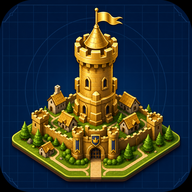
Mastering Kingdom Architect Land Expansion: Build Your Dream Empire
Learn the best strategies for Kingdom Architect land expansion. Discover how to upgrade your village, unlock structures, and maximize offline growth.
If you want to transition from a humble medieval village to a sprawling fantasy castle city, mastering Kingdom Architect land expansion is absolutely essential. Every new player starts small, but with the right economic strategies and layout planning, your Kingdom Architect land expansion efforts will quickly transform your territory into a massive empire. This popular Roblox experience blends the best elements of simulation and tycoon games, offering players unparalleled freedom to design their dream kingdoms.
Whether you are placing your very first market or finalizing the walls of an impenetrable fortress, understanding how to manage your space and resources is the key to success. In this comprehensive guide, we will explore everything you need to know about growing your territory, optimizing your building payouts, and achieving that coveted 3-star kingdom rating.
The Basics of Expanding Your Medieval Territory
At its core, Kingdom Architect is all about progression through spatial growth. When you first spawn into the game, your available building area is relatively small, suitable only for a basic village setup. To build the ultimate fantasy empire, you must continuously purchase more land.
Every building you place helps your kingdom progress by generating income. This money is then reinvested into unlocking new structures, upgrading existing ones, and buying additional plots of land.
According to community reports, players who focus on balancing their income generators with their expansion purchases tend to progress much faster. If you buy land too quickly without having the buildings to fill it, your income will stagnate. Conversely, if you cram too many buildings into a small space without expanding, you will miss out on the aesthetic and functional benefits of a larger city.
How to Maximize Your Building Payouts
To fund your next Kingdom Architect land expansion, you need a robust economy. The game operates on a continuous payout system where your constructed buildings generate money over time.
One of the most praised features of this experience is its offline growth mechanic. Your kingdom builds and earns money even while you are logged off. This means that you can set up a highly profitable layout, go to sleep, and come back the next day to collect a massive pile of rewards. Coming back often to collect these payouts is crucial for maintaining a steady pace of expansion.
Different structures serve different purposes in your kingdom. Here is a breakdown of the primary building categories you will use to generate wealth and protect your citizens:
To check out the game and start building your economy, you can visit the official Kingdom Architect Roblox experience page.
Decorating and Designing Your Expanding Kingdom
A massive kingdom is not just about raw size; it is also about how you design it. As you secure more territory through Kingdom Architect land expansion, you unlock the ability to deeply customize your environment.
The game allows you to place paths, modify terrain, add water features, and plant trees. This level of customization ensures that no two kingdoms look exactly alike. You can create a dense, bustling urban center surrounded by markets, or a tranquil, sprawling castle estate featuring lush gardens and winding rivers.
Furthermore, the game features a dynamic day and night cycle. Designing your kingdom with lighting in mind ensures that it looks just as spectacular under the moonlight as it does during the day.
Achieving Higher Star Ratings
As your kingdom grows in size and wealth, you will be evaluated on an overall star rating system. The game tracks your progress and awards badges for reaching specific milestones, specifically 1-star, 2-star, and 3-star ratings.
These ratings are a reflection of your overall progress, taking into account the size of your land, the quality of your buildings, and your total accumulated wealth. Earning these stars is a major point of pride within the player community.
Based on player experience, rushing through the game without upgrading your older buildings can delay your star ratings. It is important to go back and upgrade your initial village structures even as you are building massive new castle walls on the outskirts of your territory.
Strategic Tips for Fast Kingdom Architect Land Expansion
If you want to reach that 3-star rating quickly, you need a solid game plan. Managing a tycoon-style simulation requires foresight. Here are some actionable strategies to help you optimize your growth.
First, always prioritize income-generating buildings early on. While it is tempting to build massive defensive walls immediately, walls do not pay for future land. Focus on markets and houses until your hourly income is high enough to support decorative and defensive projects.
Second, log in frequently. Even though the game features offline growth, there is often a cap on how much you can earn while away. Logging in to collect your money and immediately reinvesting it into new buildings or land ensures your offline earnings rate continues to scale up.
By following these strategic phases, you will avoid the common pitfall of going bankrupt while trying to build a castle too early. Patience, regular logins, and smart investments are your best tools.
Frequently Asked Questions (FAQ)
How do I trigger a Kingdom Architect land expansion?
To expand your land, you need to accumulate enough money from your existing buildings' payouts. Once you have the required funds, you can purchase adjacent plots of land through the game's building and expansion menu, instantly increasing your buildable area.
Does my kingdom generate money while I'm offline?
Yes! One of the best features of the game is its offline growth mechanic. Your kingdom continues to build and earn money while you are away. However, it is highly recommended to log in frequently to collect your rewards and reinvest them into new structures.
What happens when I reach a 3-star rating?
Reaching a 3-star rating is a major milestone that signifies you have built a massive, highly optimized fantasy empire. You receive a badge for this achievement, proving your dedication and skill in city planning and economic management.
Can I customize the terrain in my kingdom?
Absolutely. You are not limited to just placing buildings. You can place terrain, water, trees, gardens, and paths to fully customize the look and feel of your medieval city, making your empire truly unique.
Related Guides
How to Master the Kingdom Architect Buy Land Strategy for Massive Empires
Learn how to optimize your Kingdom Architect buy land strategy. Discover tips for expanding your medieval village into a massive fantasy castle city on Roblox.
The Ultimate Kingdom Architect Layout Guide for Massive Growth
Master your Kingdom Architect layout with our expert tips. Learn how to balance aesthetics, maximize payouts, and build a 3-star medieval fantasy empire.